


CameraFi Live
3.42.30K Reviews
App Specs
- Version
- 1.36.35.0827
- Updated On
- License
- Free
- Downloads
- 10,000,000+
- Developer
- Vault Micro, Inc.
- Categories
- Video Players & Editors
- Platform
- Android, iOS
Screenshots
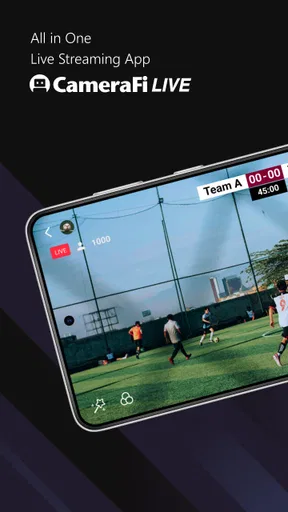
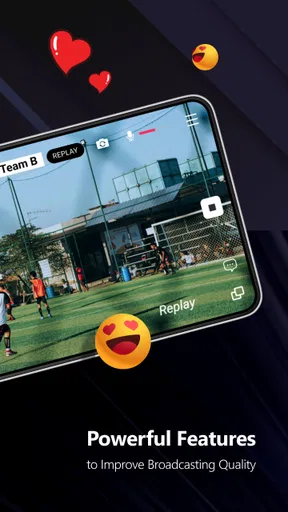
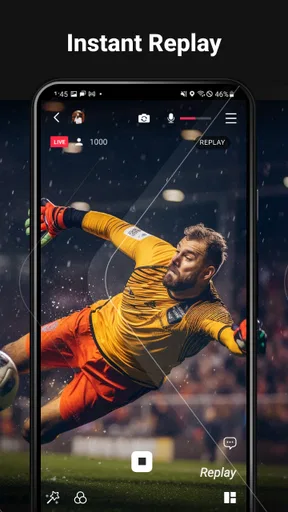
 Analysis by AppCompare
Ever wondered how some folks manage to have such slick live streams with all those cool overlays and effects? Well, let me introduce you to CameraFi Live, an app that's about to step up your streaming game. Whether you're a vlogger, gamer, or just someone who wants to share moments live, this app has got you covered. Let's dive into what makes this app tick and why it might just be the tool you’ve been looking for.
First Impressions and Setup
Downloading and setting up CameraFi Live is a breeze. Available on both Android and iOS, you can find it easily on your respective app store. Once installed, the interface is clean and intuitive. The app doesn’t bombard you with ads or unnecessary pop-ups, which is always a win in my book.
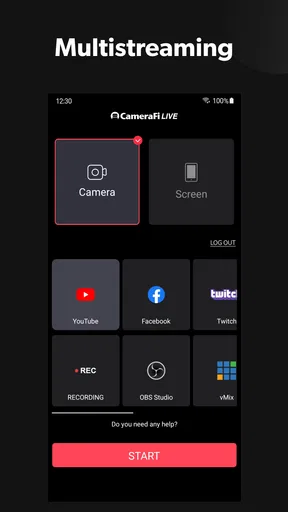
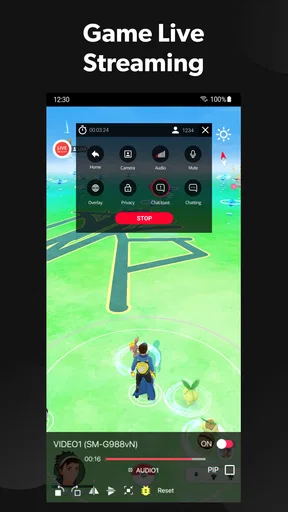
Upon opening the app, you’re greeted with a simple dashboard. The main buttons are large and clearly labeled, making it easy even for streaming newbies to navigate. You can link your accounts to platforms like YouTube, Facebook, and Twitch with just a few taps. Honestly, the setup process is pretty much foolproof.
Features that Stand Out
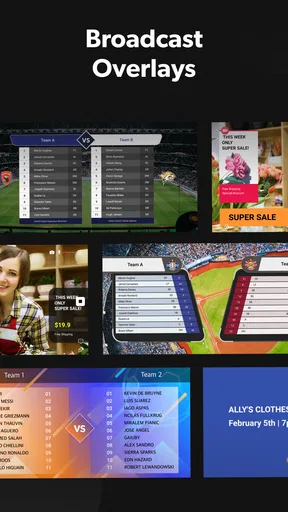
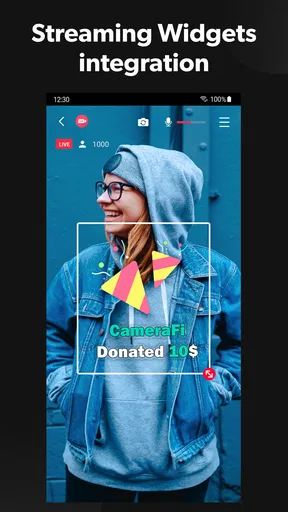
Let’s talk features. This app is packed with them! One of the coolest things is the ability to add overlays. You can customize your stream with text, images, and even video clips. Want to showcase your brand or add a snazzy border to your video? CameraFi Live makes it happen.
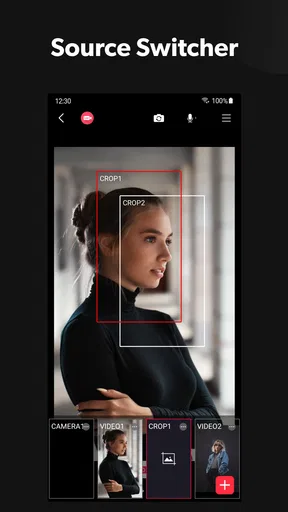
Another feature I absolutely love is the option to use external cameras. Yup, you can connect your DSLR or any other camera to your phone and use it as a high-quality streaming device. This is a game-changer for those who want professional-grade streams without the hassle of complex setups.
Moreover, the app supports multiple audio sources. So, if you want to add background music or an external mic for clearer audio, you’re all set. The audio mixing capabilities ensure that your viewers get the best sound experience.
Performance and Usability
In terms of performance, CameraFi Live runs smoothly. I tested it on different devices, and the app handled everything without a hitch. Whether you’re streaming in 720p or going all out with 1080p, the app maintains a stable connection.
Worth Reading Before You Choose

EA SPORTS FC Mobile 26 Is a Bigger Football Game, but It Takes Time

Flipboard Shows What News Apps Must Do Beyond the Feed

Switching to Android Auto Means Rethinking Your Driving Routine

Google Calendar Makes a Crowded Week Easier to Manage

Ludo King Makes the Most of the Minutes Between Plans

Baby Panda World Brings Quick Play to Modern Phones, but Its Game Library Feels Busy
The battery usage is quite efficient, which is something I definitely appreciate during longer streams. Plus, the app has a nifty feature that lets you monitor your stream health. It gives you real-time updates on your connection status, bitrate, and more, so you’re always in the loop.
Customization and Control
Customization is where this app truly shines. You can tweak almost every aspect of your stream. The controls are straightforward, allowing you to adjust the resolution, bitrate, and even the orientation of your stream. Want to flip your camera mid-stream? Easy peasy.
The app also has a multi-streaming feature, which allows you to broadcast to several platforms at once. This is perfect for those who have a diverse audience across different social media channels.
User Community and Support
One thing I found super helpful was the active user community. There are plenty of online forums and groups where you can share tips, tricks, and even troubleshoot with other users. The developers seem pretty responsive too, frequently updating the app with new features and bug fixes.
If you ever run into a snag, their support team is just a message away. It’s reassuring to know that you’re not left hanging if something goes awry during an important stream.
The Verdict
So, is CameraFi Live worth your time? Absolutely! It’s a powerful tool in the arsenal of any streamer looking to elevate their game. With its rich feature set, ease of use, and robust performance, it’s hard to find a reason not to give it a shot.
Whether you’re a seasoned streamer or just starting out, CameraFi Live provides everything you need to create engaging, high-quality streams. So go ahead, download it, and let your creativity shine. Happy streaming!
Pros
- User-friendly interface for easy streaming.
- Supports multiple platforms like YouTube.
- High-quality video output options available.
- Real-time editing features enhance streams.
- Compatible with various external cameras.
Cons
- Limited advanced settings for professionals.
- Some features require in-app purchases.
- May drain battery quickly during use.
- Occasional lag on lower-end devices.
- Initial setup can be confusing for beginners.
FAQs for CameraFi Live
What is CameraFi Live and how does it work?
CameraFi Live is a versatile app that allows users to broadcast live videos using a smartphone. It supports various platforms such as YouTube, Facebook, and Twitch. The app offers features like video effects, image filters, and multi-streaming. Users can connect external cameras and microphones for enhanced video quality.
Is CameraFi Live free to use?
CameraFi Live offers a free version with basic features, suitable for casual users. However, for professional-grade features like higher resolution streaming, watermark removal, and advanced video effects, a premium subscription is available. This makes it ideal for both beginners and professionals seeking enhanced capabilities.
What platforms does CameraFi Live support for streaming?
CameraFi Live supports a wide range of streaming platforms, including YouTube, Facebook Live, and Twitch. This flexibility allows users to reach different audiences across multiple platforms simultaneously, making it an excellent choice for content creators looking to expand their reach.
What are the technical requirements to use CameraFi Live?
To use CameraFi Live effectively, you'll need a smartphone with Android 5.0 or higher or iOS 10.0 or later. A stable internet connection is crucial for smooth streaming. Additionally, while the app works with built-in cameras, using external cameras and microphones can enhance video and audio quality.
Can I customize my live stream with CameraFi Live?
Yes, CameraFi Live provides numerous customization options. You can add video effects, text overlays, and image filters to enhance your live stream. The app also supports multi-camera setups and external audio devices, allowing for a professional-looking broadcast with personalized touches.


